DCMetrikAbout the application

BUILT FOR MULTI-HOST OPERATORS

Deep financial analysis for your hosting business.

Built for operators managing larger fleets of GPU hosts. Turn earnings across multiple operating accounts into a clear picture of costs, management fees and investment returns.
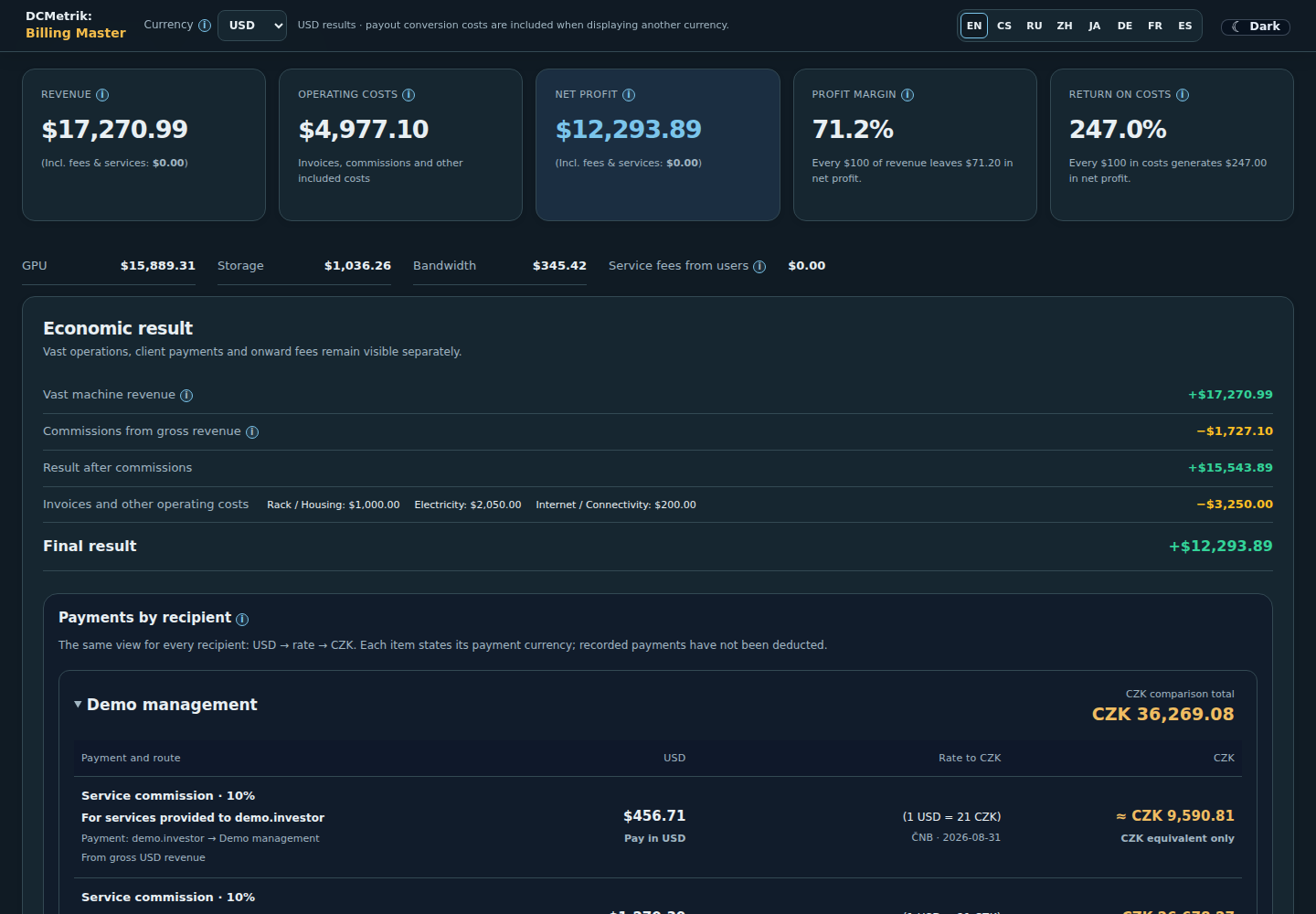
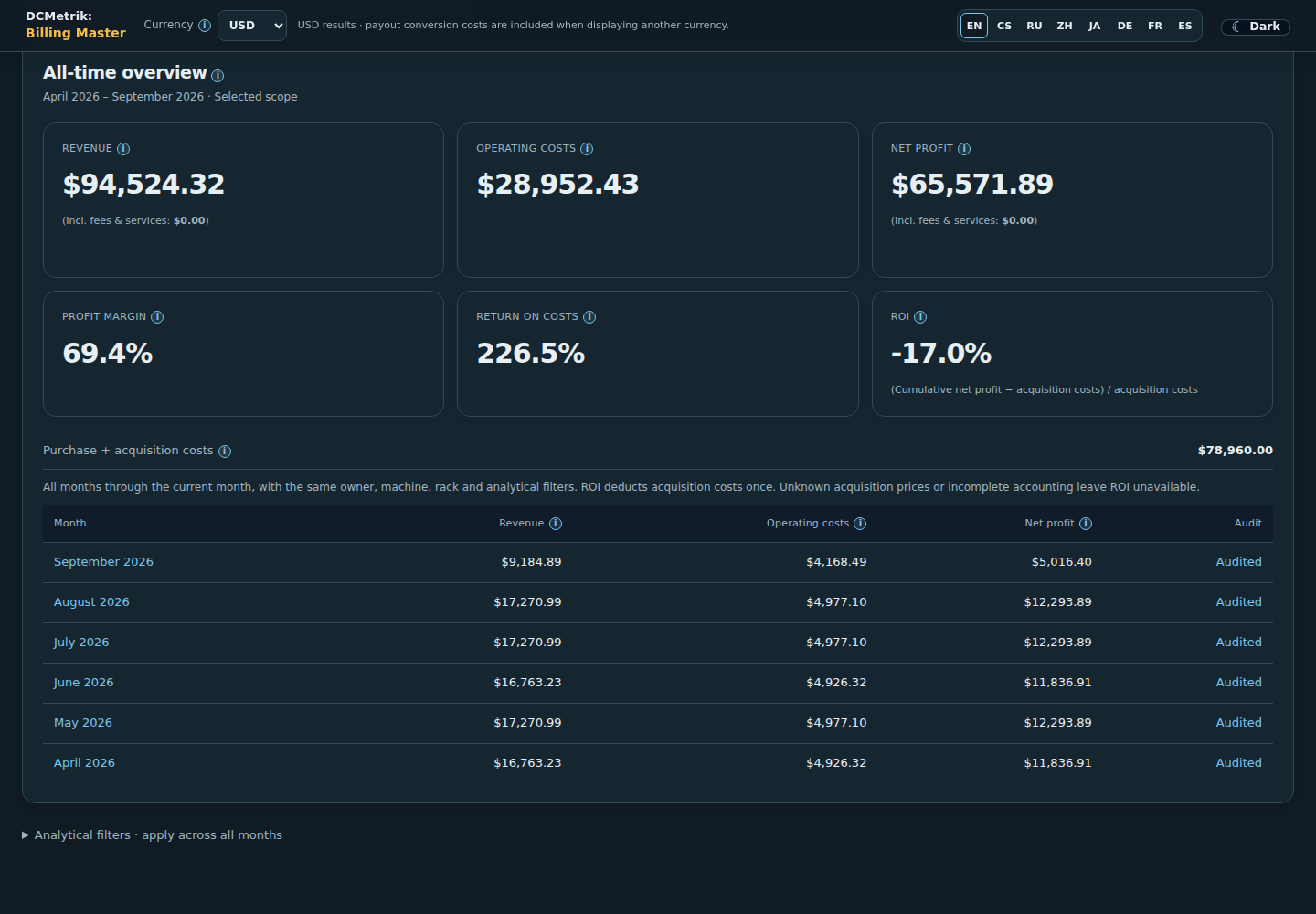
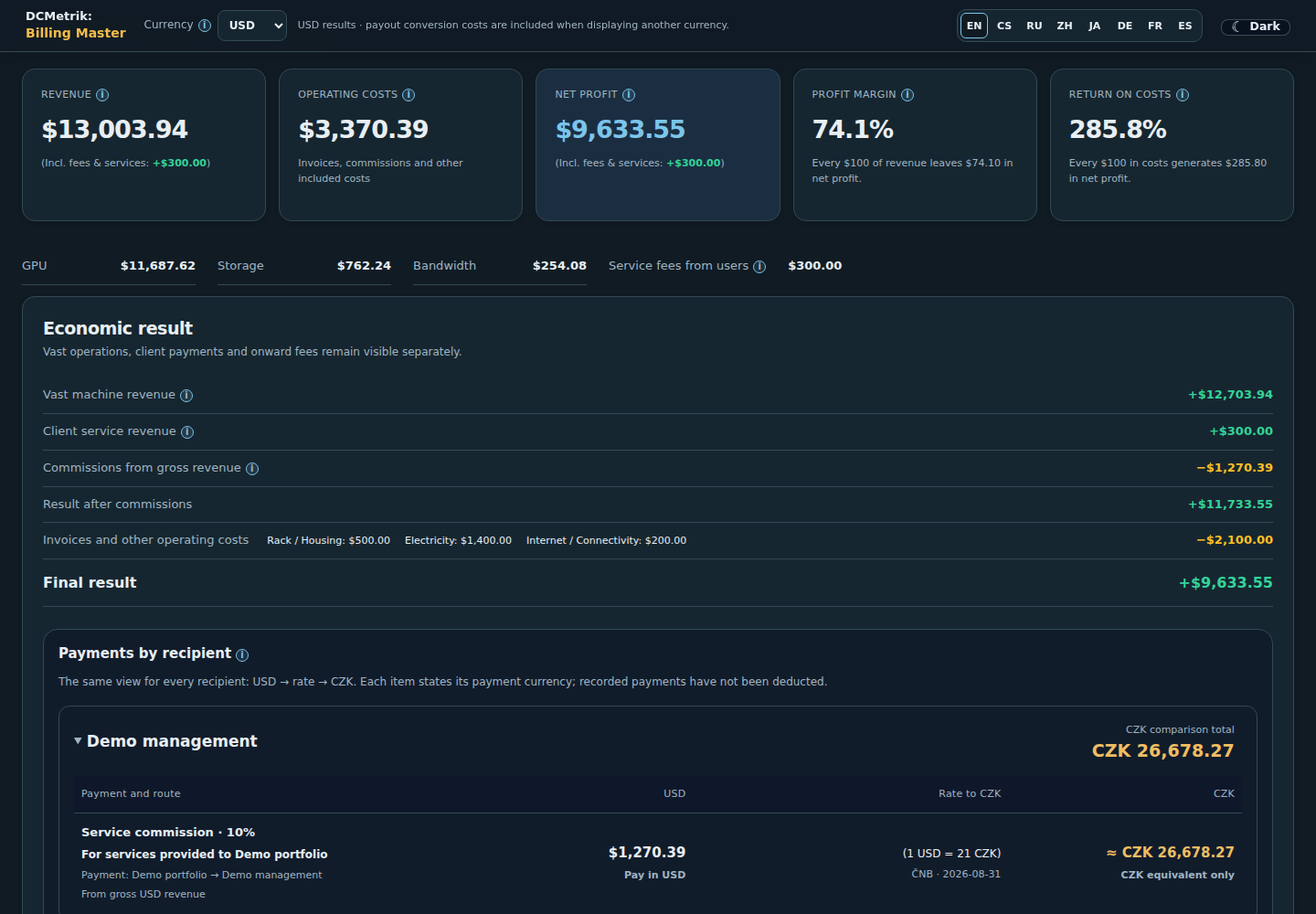
Billing Master monthly overview with revenue, operating costs and net profit.
Billing MasterMonthly overviewDEMO

Billing Master

Know what your fleet really earns.

Connect actual API earnings with automated cost-invoice imports, line-item review and detailed management-fee rules. Rack and machine costs, investments and commissions form traceable records for settlement between investors, administrators, intermediaries and operators — from gross revenue to the net result.

01

Precise management billing

Calculate administrator and partner commissions using agreed rules, with visible calculation bases, fees and amounts to settle.

02

The complete cost picture

Allocate electricity, rack rent, connectivity and one-off costs. Include hardware investment and review imported invoice lines against the original document.

03

Net profit, ROI and payback

Understand profitability after costs and commissions, track invested capital and compare investment recovery over monthly and all-time periods.

04

Daily and monthly outlook

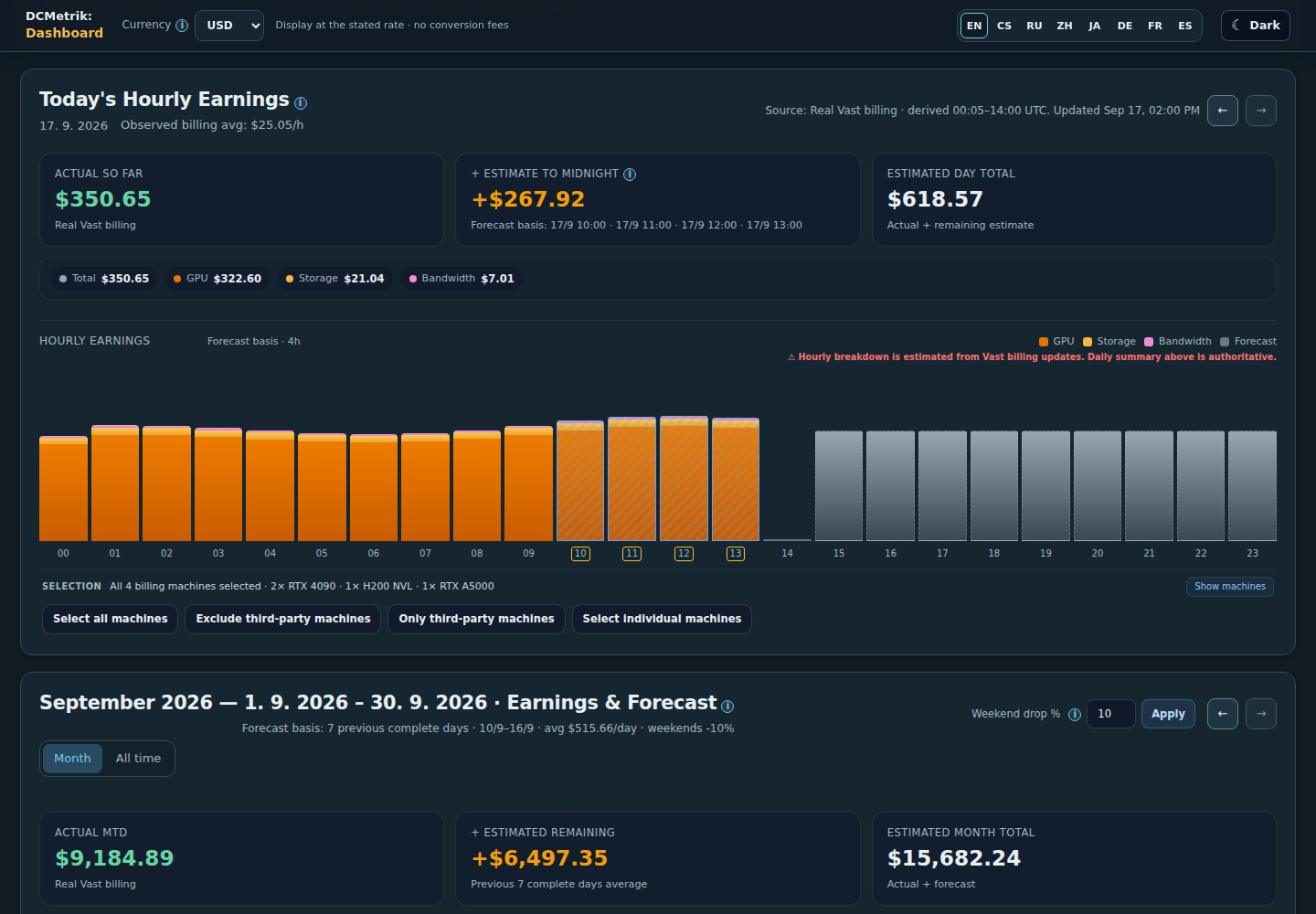
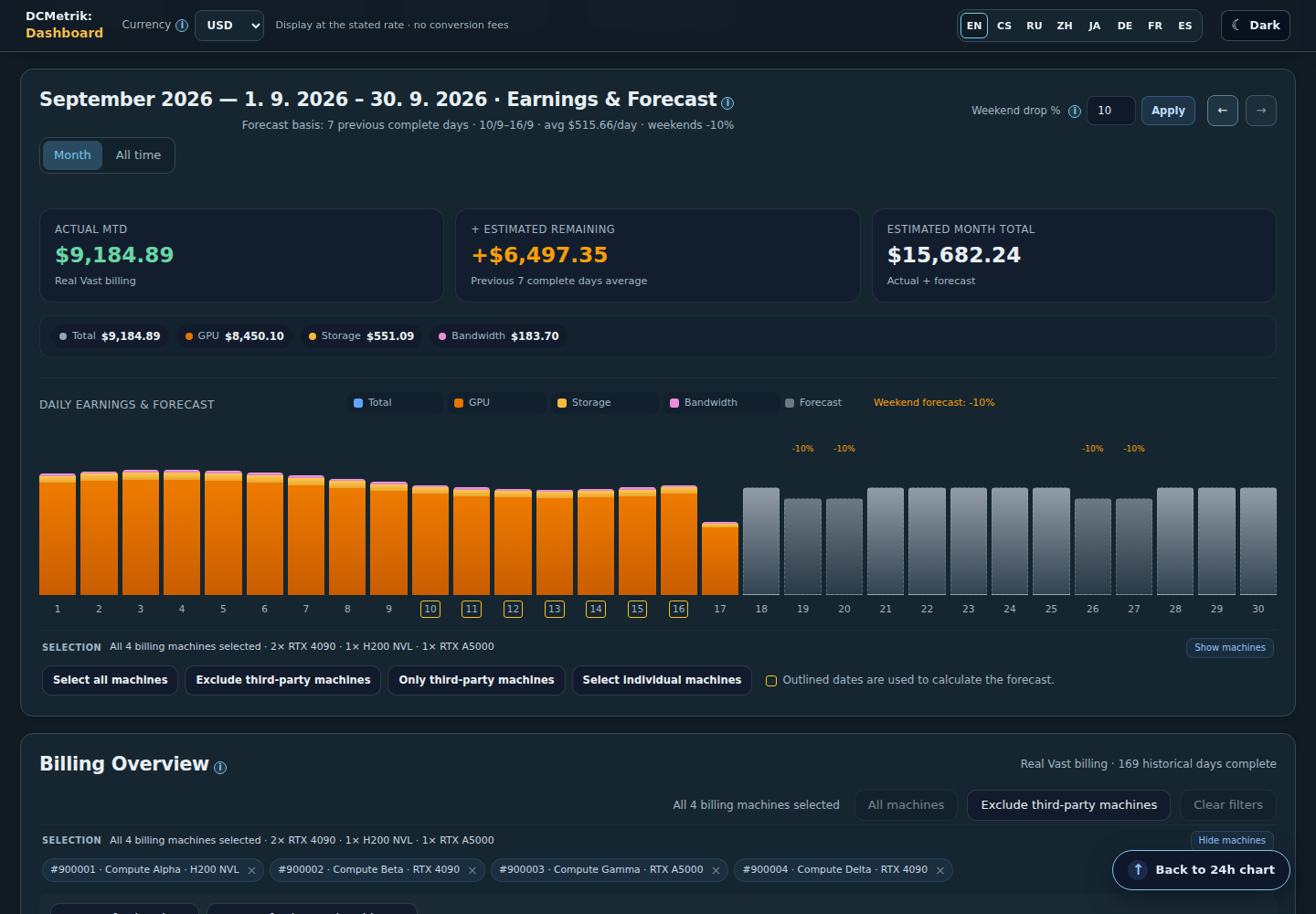
Estimate revenue through midnight UTC and the result for the current month, using observed earnings and a visible forecast basis.

Results depend on the supplied earnings, costs and ownership history. Power allocations and forecasts are estimates; audit labels show which figures have been reviewed.

A clear view for every investor.

Manage several operating accounts and give each user access to their assigned machines. Non-technical owners can follow their earnings, allocated costs and calculated net profit in a readable view of their investment results. Administrators keep control of shared costs and permissions.

DCMetrik

Inside DCMetrik

Real application screens with entirely fictional demonstration data. Select an image to see it at full size.
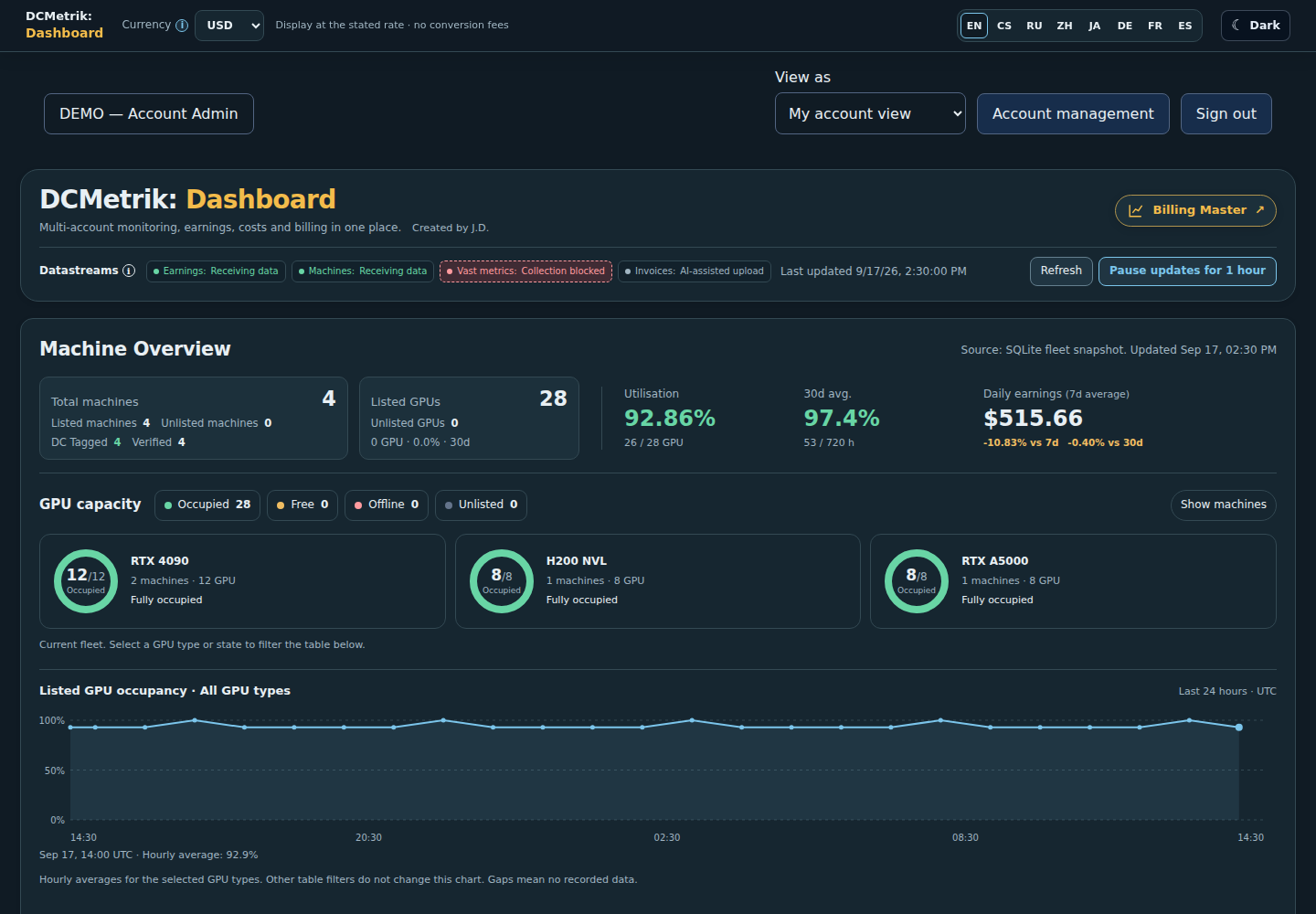
Own-fleet occupancy, machine health and earnings in Dashboard.
DashboardOwn-fleet occupancy, machine health and earnings in one place.
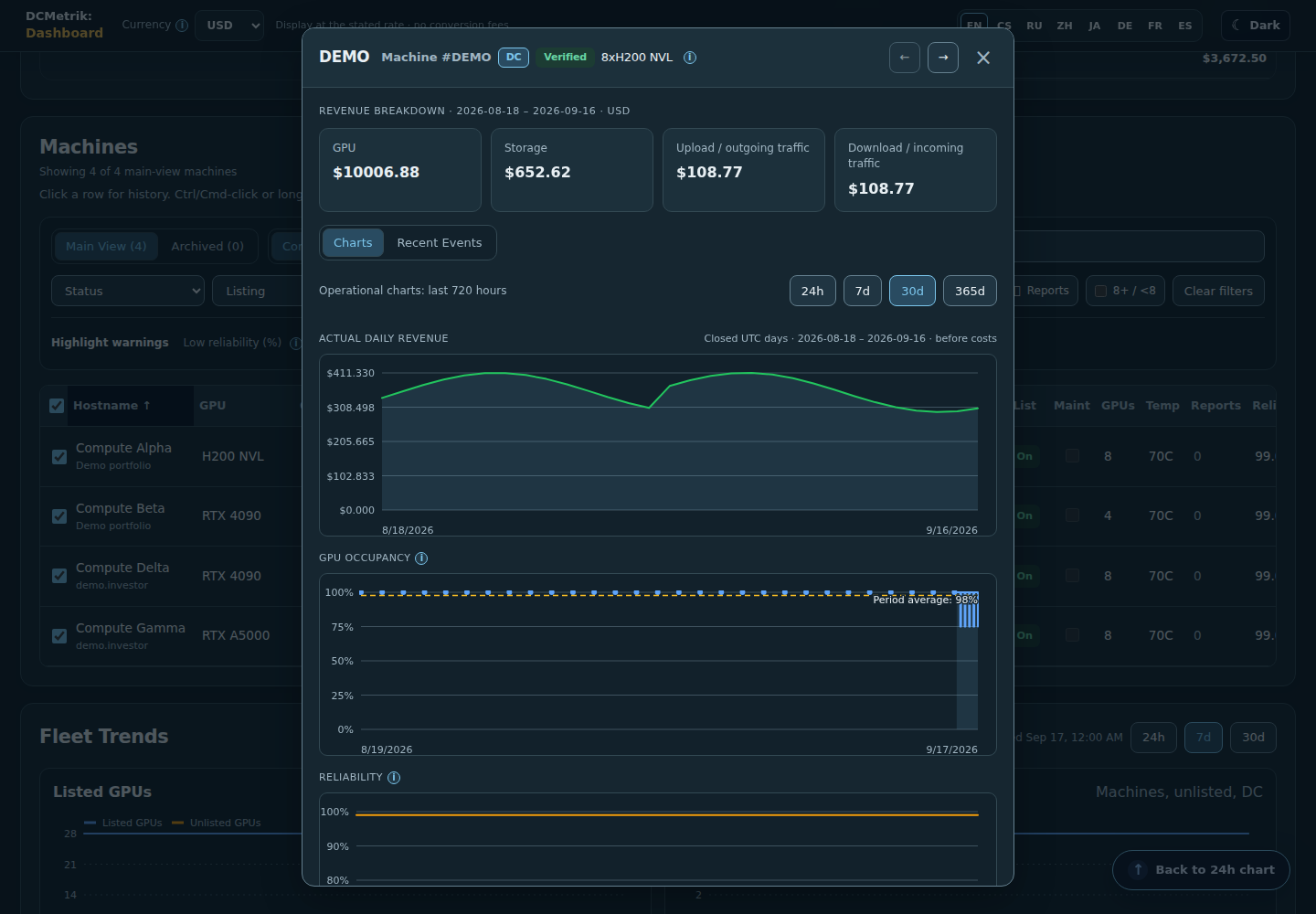
Inspect one machine’s earnings, GPU occupancy, reliability and operating history. This H200 and all figures are demonstration data.
H200 machine detailInspect one machine’s earnings, GPU occupancy, reliability and operating history. This H200 and all figures are demonstration data.
Observed hourly earnings and an estimate through midnight UTC.
Daily earnings and forecastObserved hourly earnings and an estimate through midnight UTC.
Actual monthly earnings, the remaining forecast and its calculation basis.
Forecast to month-endActual monthly earnings, the remaining forecast and its calculation basis.
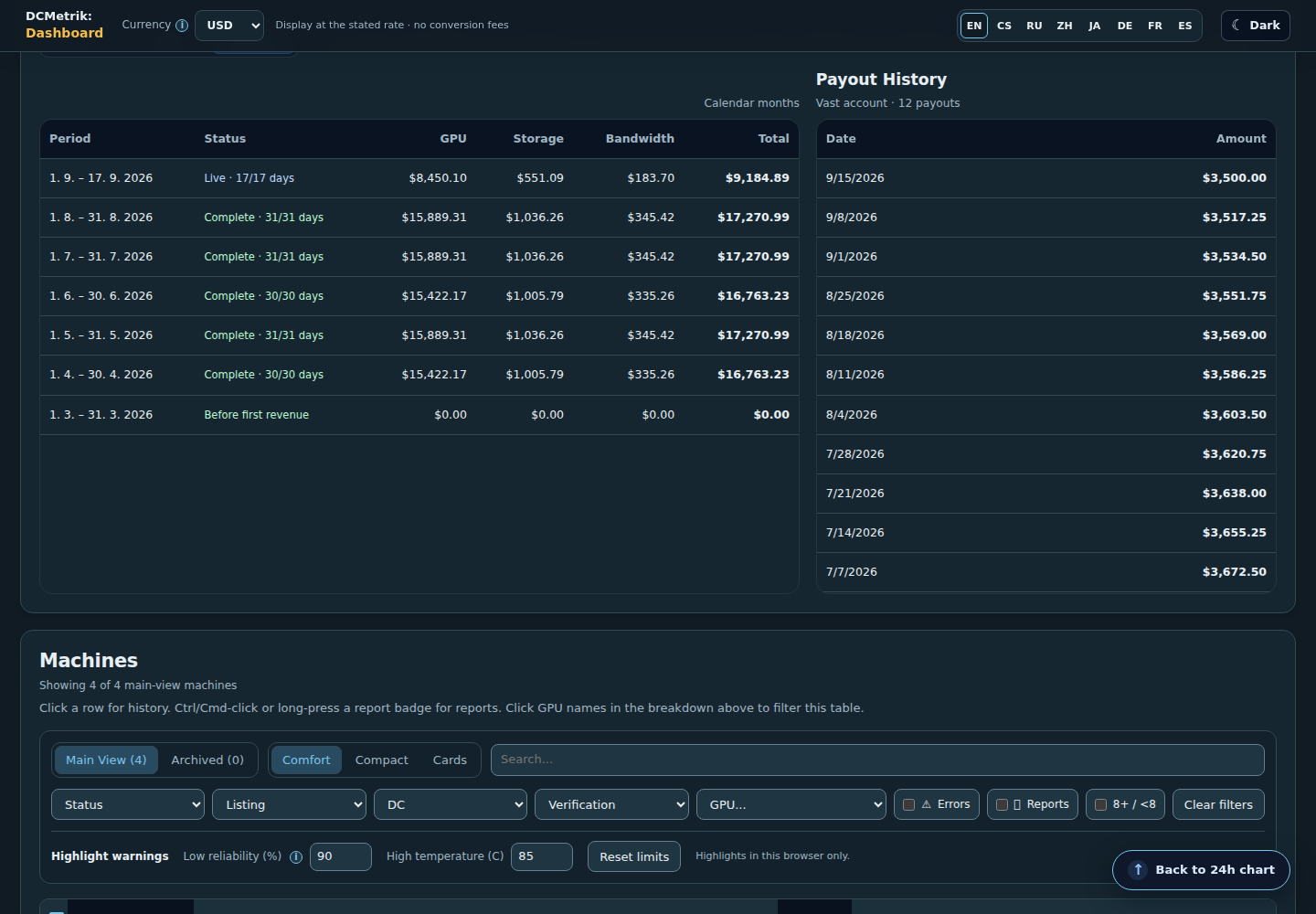
Daily, weekly and monthly earnings alongside account payout history.
Earnings and payout historyDaily, weekly and monthly earnings alongside account payout history.
All-time financial results and investment recovery.
All-time resultsCumulative revenue, costs, profit and recovery of the original investment.
The operator’s own view separates connectivity income, management fees and operating costs.
Connectivity service incomeThe operator’s own view separates connectivity income, management fees and operating costs.
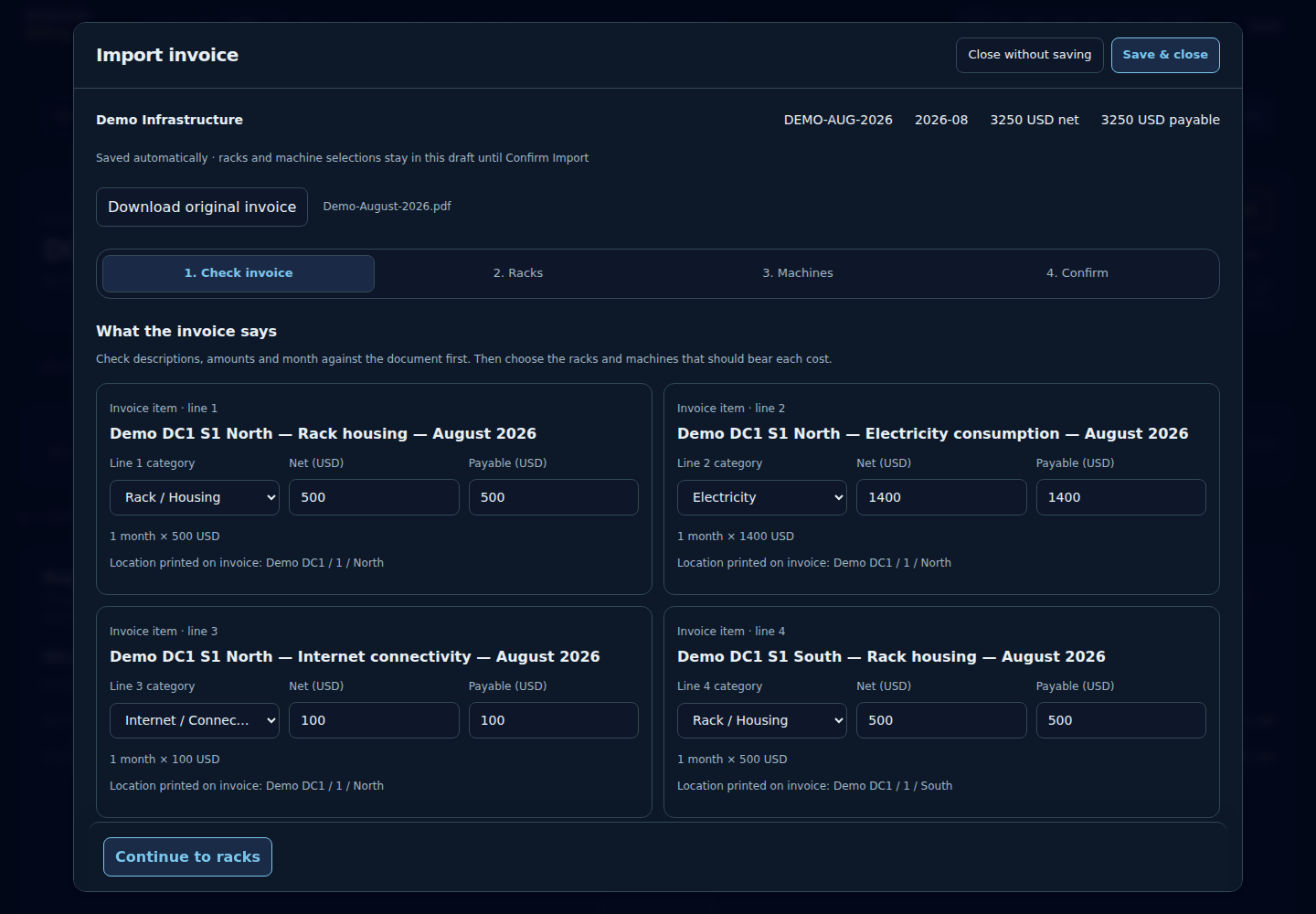
Invoice review with source descriptions and editable allocation.
Invoice reviewReview the original invoice lines before assigning costs to racks and machines.
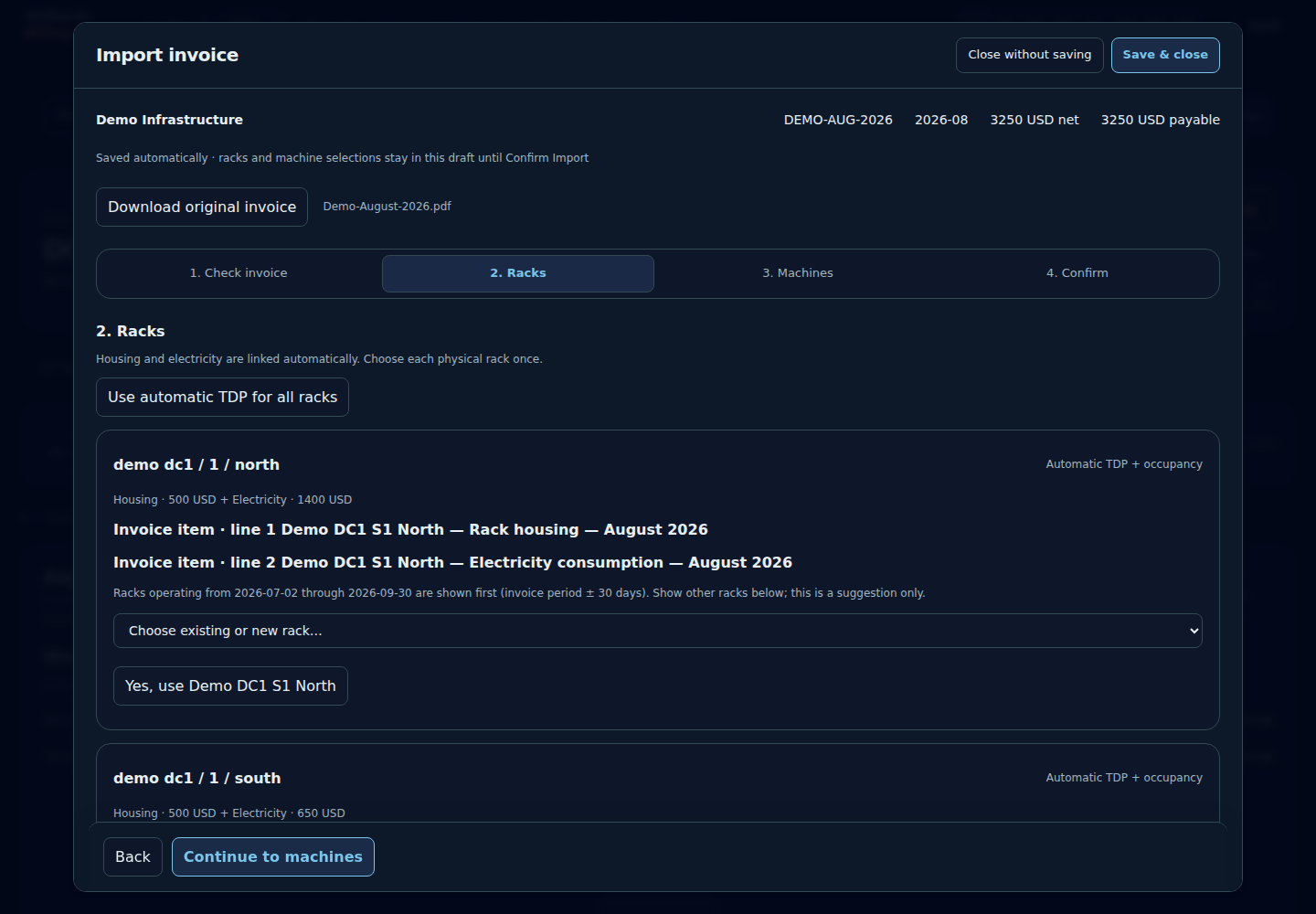
Review suggested racks and confirm where each invoice cost belongs.
Assign invoice lines to racksReview suggested racks and confirm where each invoice cost belongs.
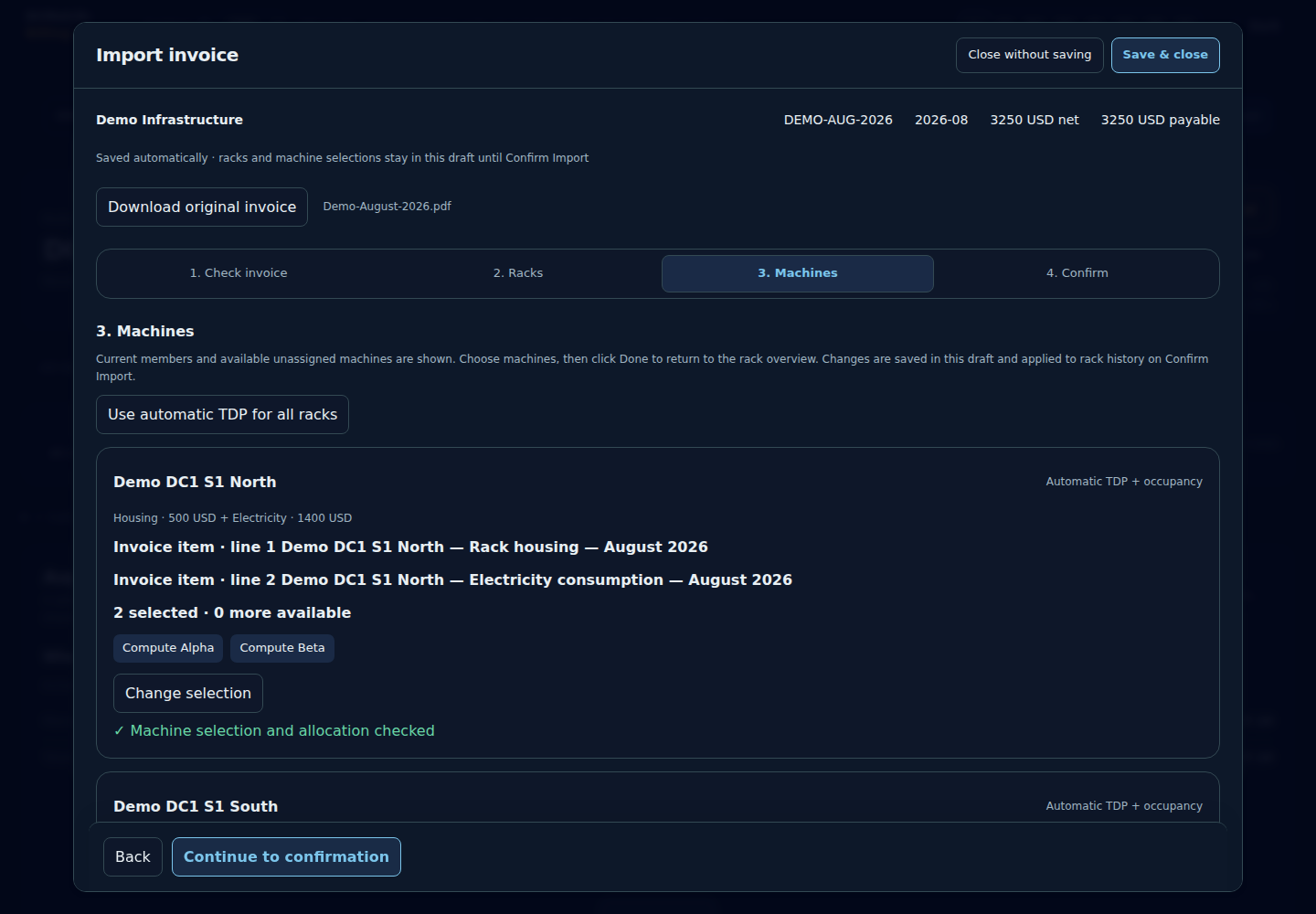
Inspect the machines sharing rack costs and adjust the allocation before importing.
Allocate costs to machinesInspect the machines sharing rack costs and adjust the allocation before importing.
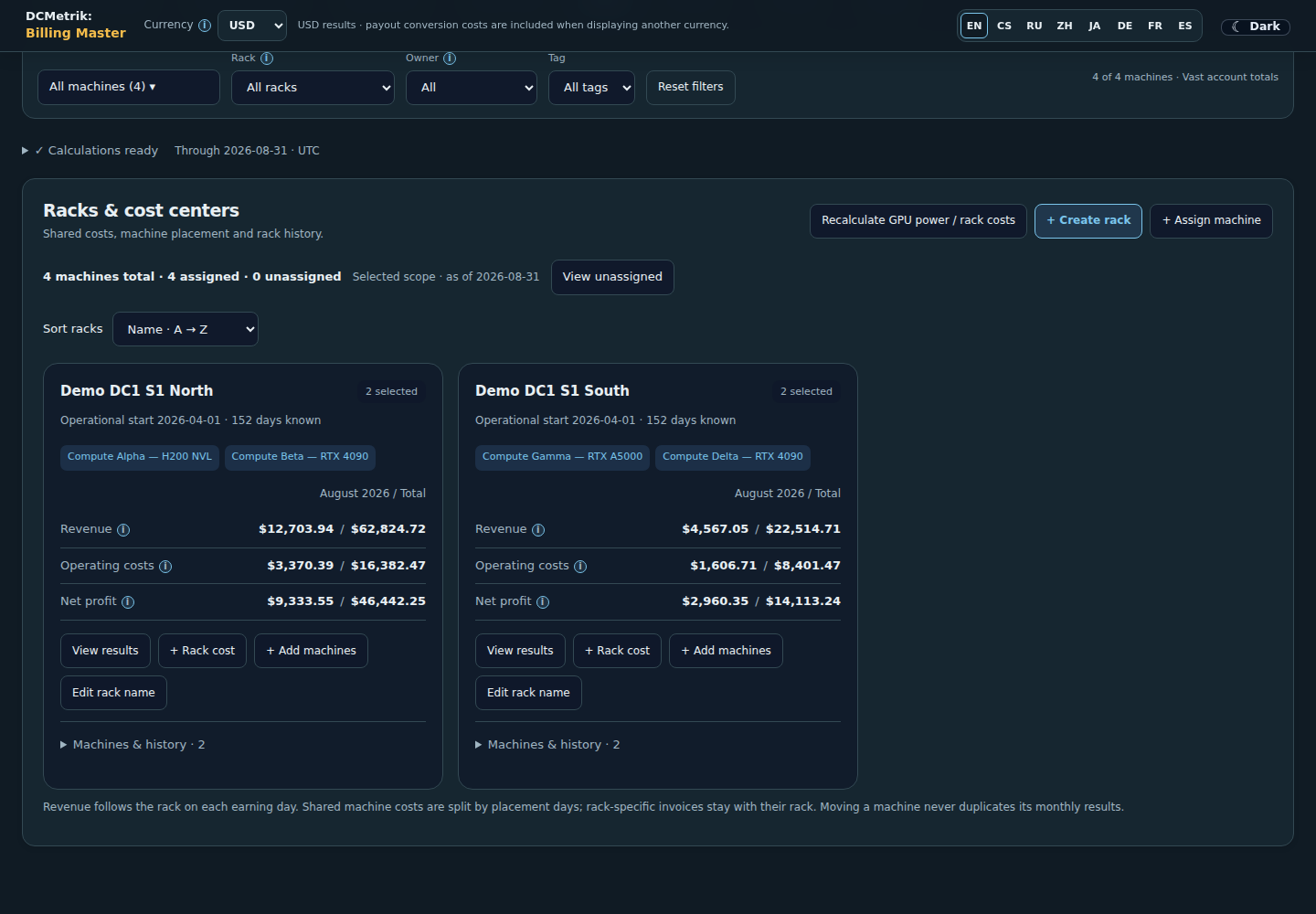
Rack-level costs and financial results.
Racks and costsCompare costs and financial results across racks and their machines.
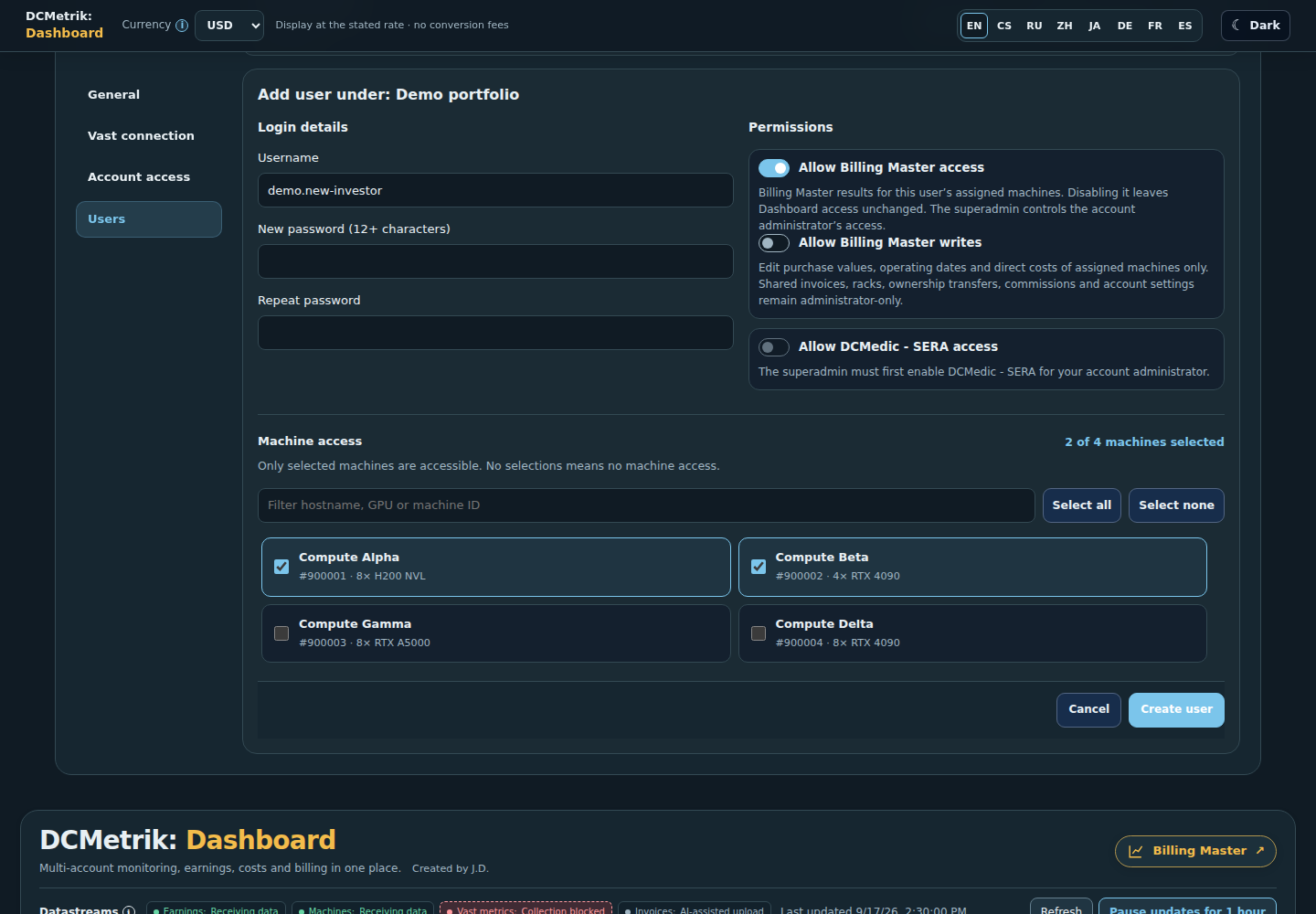
Account administrators create users, choose their machines and grant Billing Master permissions.
Add a user and assign machinesAccount administrators create users, choose their machines and grant Billing Master permissions.
Explore Billing Master and its demo

Dashboard

Your machines. Your API data.

Dashboard monitors the connected operators’ own machines through their Vast.ai account APIs: occupancy, machine state, temperatures, reliability and earnings history. Access is scoped to the account and assigned machines. This operational view does not require market-wide benchmarks.

Internal tool · partner access on request

DCMedic - SERA

Server Emergency & Recovery Agent

DCMedic - SERA is an internal tool for diagnosing server issues and supporting recovery. Access is available to partners on request, by arrangement with the operator.